

You asked, we answered! The Honeywell Control4 driver is here!
The wait is over! Control4 customers can now easily manage their Honeywell Total Connect Comfort thermostats in the Control4 interface with the Honeywell WiFi / RedLINK / Evohome Driver!
The wait is over! Control4 customers can now easily manage their Honeywell Total Connect Comfort thermostats in the Control4 interface with the Honeywell WiFi / RedLINK / Evohome Driver!

The brand new Honeywell WiFi / RedLINK / Evohome Thermostat Driver developed by Cinegration Development has been released, and we are very excited to share the new features and capabilities included in this driver!
Driver Highlights:
Works with Honeywell Total Connect Comfort platform (Honeywell Wi-Fi / RedLINK/ Evohome)
Install remotely, all you need is the Honeywell account email and password
Uses latest Control4 thermostat interface
Fan Mode, HVAC Mode, Humidity Mode, Hold Mode
Outdoor temperature monitoring
Compatible with US and international-based Honeywell thermostats
Honeywell Interface Control4 Touchscreen
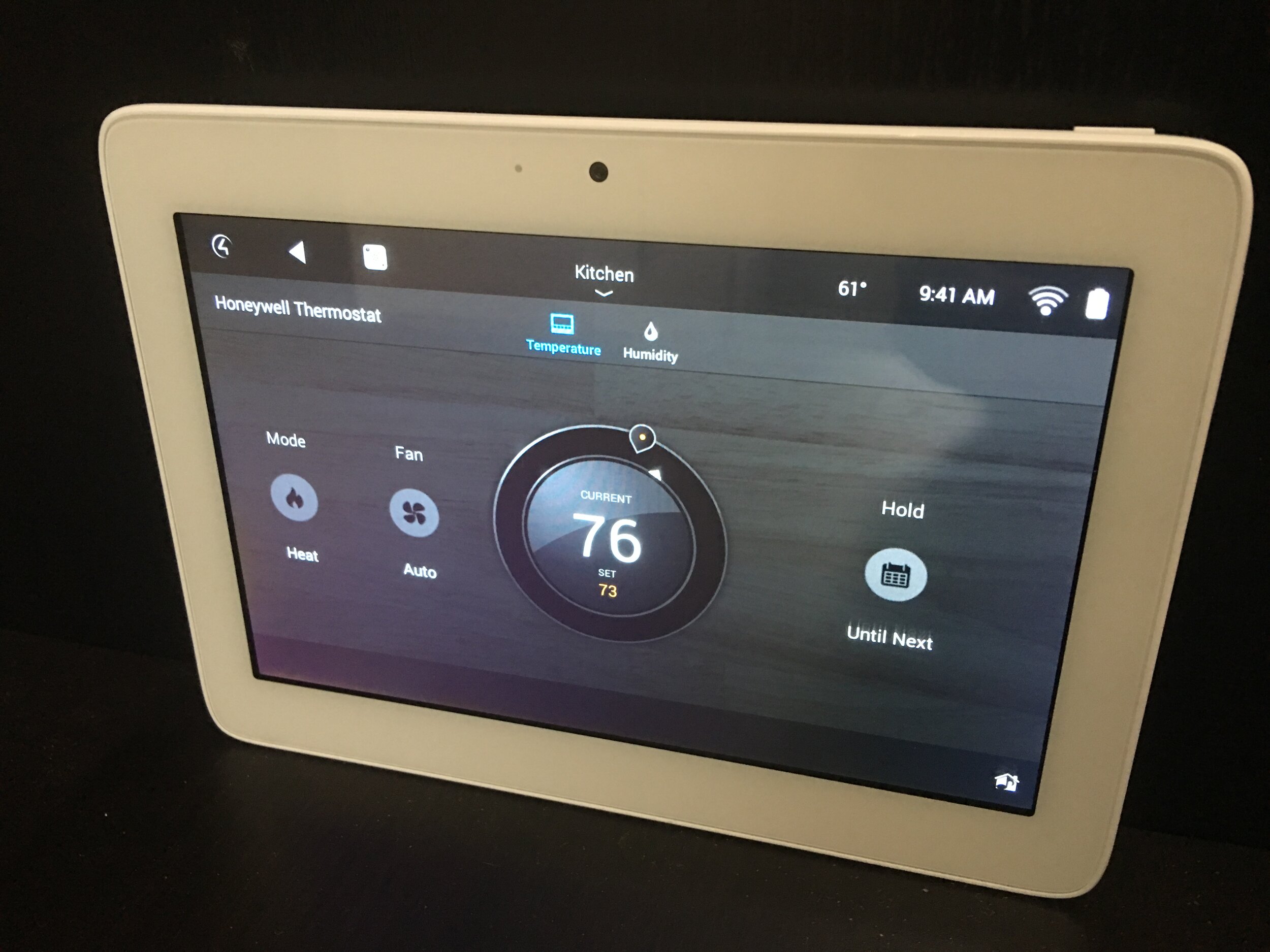
The Honeywell WiFi / RedLINK / Evohome driver allows clients to control their Honeywell Total Connect Comfort thermostats through the Control4 interface, streamlining their efforts and centralizing control of their smart home. Customers can now have the freedom to manage the temperature of their home from any room or while away. Keep the home cool in the summer and warm in the winter to the exact specified degree and schedule when the temperature changes throughout the day!
Honeywell Interface on Smartphone
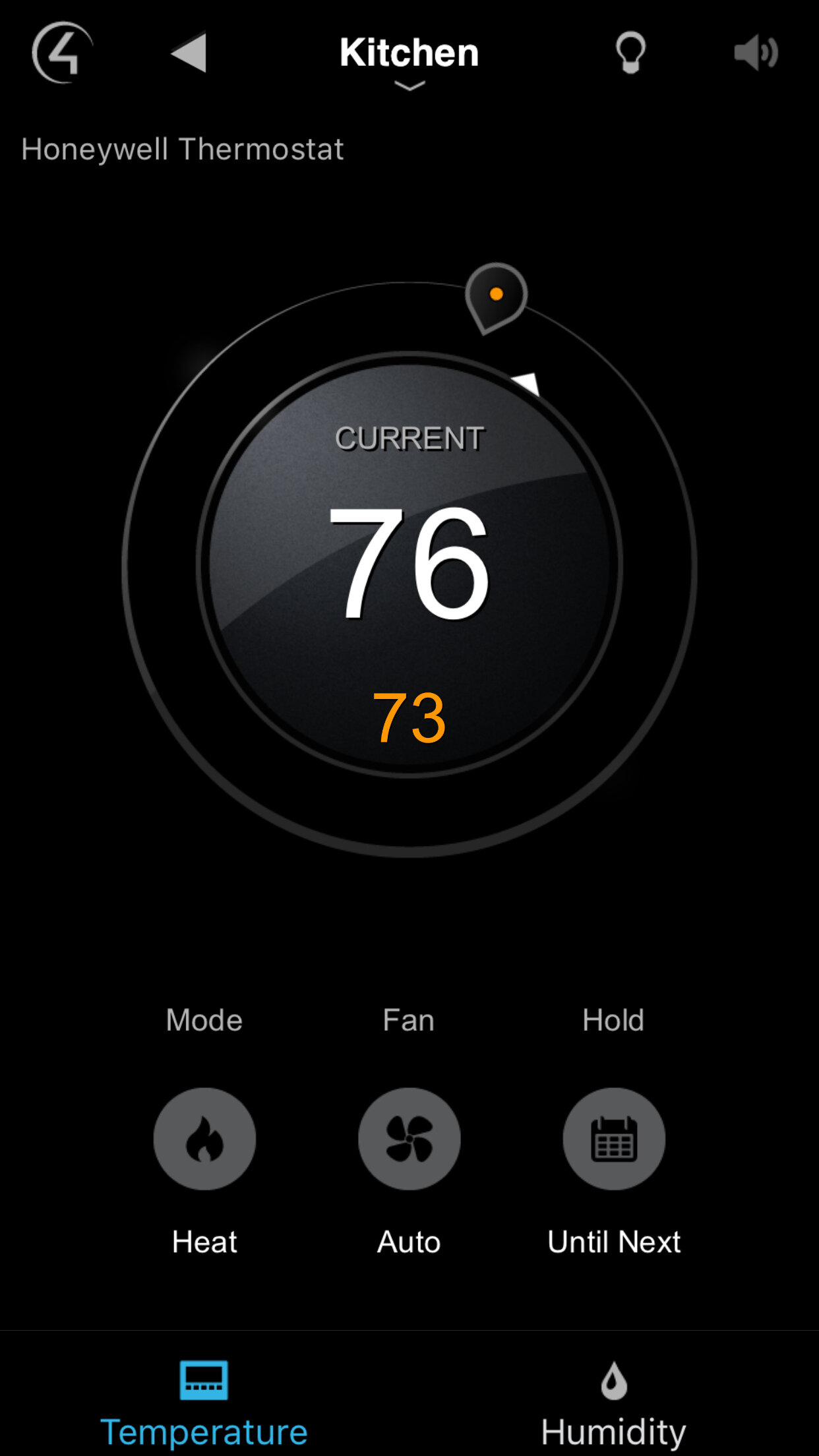
Dealers can preset thermostat actions by scheduling events in the thermostat or through Composer. For example, the system can be programmed to turn on the AC bring the home’s temperature to 70 degrees at nighttime and rise to 74 degrees at 9 am Monday through Friday. Clients will love the automatic features of their Honeywell thermostats, but they can also easily adjust the temperature beyond what is scheduled through their smartphone, tablet, or touch screen.
How Long Does It Take You To Integrate LifeMaster Garage Doors Into Control4?
With the new Garage Agent with LiftMaster Driver, integration takes LESS THAN TWO MINUTES!
The brand new Garage Agent with LiftMaster Driver developed by Cinegration Development has been released, and we are very excited to share the new features and capabilities included in this driver!
With the new Garage Agent with LiftMaster Driver, integration takes LESS THAN TWO MINUTES!
The brand new Garage Agent with LiftMaster Driver developed by Cinegration Development has been released, and we are very excited to share the new features and capabilities included in this driver!
Driver Highlights:
Single Driver installation for each door
Enhances the garage experience in Control4
Works with myQ Doors and Motors
Moving Up/Down States and Icons
Disable/Enable control of garage door
Works with History Agent
Customize the icon with optional Icon Styles!
Automatic alerts (email/text or Push Notification)
Garage Left Open
Garage Failed to Close
Customizable Icons

The Garage Agent with LiftMaster driver allows clients to control their LiftMaster garage doors and motors through the Control4 interface, streamlining their efforts and centralizing control of their smart home. Smart icons show the various states of the garage door so actions such as double tapping the garage door to close it can be visually verified when the icon changes to the closing garage door. No more wondering if you pressed the icon hard enough or if the action triggered!
Garage Door States

Dealers can also control if notifications are sent to the client for various states of the garage door, based on the clients’ preferences. For example, if the client would like to be notified if the garage door failed to close or has been left open for a certain amount of time, dealers can set these preferences in Composer.
Meet Cinegration Development
Custom-built drivers to enhance the smart home experience .
We wanted to take a moment to introduce ourselves and tell you a little bit about what we do, why we’re the best at what we do, and how our products can help you and your customers! We are Cinegration Development – we develop custom drivers for Control4 systems. Our drivers are designed to allow dealers to integrate a wide range of technology into a customer’s Control4 system while significantly reducing the time and effort required from your installers.
Custom-built drivers to enhance the smart home experience .
We wanted to take a moment to introduce ourselves and tell you a little bit about what we do, why we’re the best at what we do, and how our products can help you and your customers! We are Cinegration Development – we develop custom drivers for Control4 systems. Our drivers are designed to allow dealers to integrate a wide range of technology into a customer’s Control4 system while significantly reducing the time and effort required from your installers.
WHAT WE DO
Cinegration Development produces top-of-the-line drivers for Control4 systems and products. Our drivers give smart home owners the Power of Control, allowing users to maximize the functions of technology and fully control customized smart home automation systems. Our team has the ability to create drivers for manufacturer’s products as well as develop unique drivers that allow home owners to experience additional features and abilities.
WHY BUY OUR DRIVERS
With over 10 years of experience creating drivers for Control4 systems, we have the ability to design solutions that make your process as a dealer and installer easier, simpler, and more efficient. We know how important it is to test and understand software before installing it in a customer’s home. We offer several dealer benefits such as:
7-day trials
Specialized Tech support with Live Chat through DriverCentral
Showroom Licenses
Auto Updates
Bulk Purchase Discounts
WHERE TO BUY
All of Cinegration Development’s drivers can be purchased online at drivercentral.io. To become a registered dealer, click here.

We look forward to working with you to create the ultimate smart home experience for your customers as well as a better, more streamlined installation experience for your technicians!